For those seeking to improve their
bookmarks management
and
business productivity
, a
chrome extension
could be the solution. Today, we delve into one such tool, the "Save to Collect" Chrome extension. Yet, despite its promising features, this extension has a less than stellar aggregate rating of 2.36 out of 5. Let's evaluate its offerings based on user feedback and reviews.
What is "Save to Collect"?
"Save to Collect" is a Chrome extension designed for saving web
content
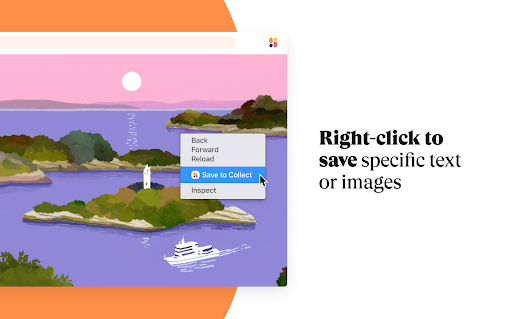
, including articles, images, and links, with a few clicks. You can select a whole web page or specific images or text. The saved items sync with the Collect app on your phone, making it a potentially handy tool for both bookmarks management and business productivity.
User Reviews: The Good and the Bad
Like most
chrome
extensions
, "Save to Collect" has its fair share of both admirers and critics. Some users, like Plechazunga and Juliana Sarmento, have found it to be a useful tool, while others, like Joe Shapiro and Kartika Gunawan, have experienced issues with its functionality.
Key Issues with the "Save to Collect" Extension
One of the most notable complaints is the failure of the extension to work properly after installation, a problem experienced by users like Joe Shapiro and Kartika Gunawan. A common issue is the inability to login, contributing significantly to the extension's low rating.
Our Take on "Save to Collect"
The "Save to Collect" extension offers significant potential for improving bookmarks management and aiding in business productivity. However, given the user complaints regarding its functionality and login problems, its use may result in more frustration than convenience. Consequently, we recommend considering other top extensions for your bookmarks and favorites management needs.
Conclusion
All in all, while "Save to Collect" promises to be a helpful tool for managing your online bookmarks, its current issues make it a less than ideal choice. We recommend waiting for potential updates and fixes before choosing to install this Chrome extension.



















13 Reviews For This Extension
Works well, no issue. Make sure to follow David Schleindl advice on Sep 15, 2021 and you're good.
I loooove the concept, love the idea of having an easy to use mood board where I can save stuff from all around the web and more. I've even been recommending Collect to my colleagues and friends. However, there are way too many bugs, still. I can't save links by pasting them, the extension often doesn't work (don't know if it worsens on specific websites) and the preview pictures rarely show up, which isn't very nice when you'r hanging on the concept of an aggregating moodboard. I know you are probably still working on these, but I just thought I'd share my thoughts. TLDR: amazing concept, still some tweaks needed.
I wanted to love this, but when I right click on the pinned shortcut, it shows the option to login and when I click it, nothing happens. I reinstalled the extension as well as rebooted my computer and browser and still nothing. Strange how this feature is supposed to make it easy save images, but it doesn't. I think I'll have to stick to Pinterest since they have no issues with this feature for pinning. Sigh
I wanted to love this, but when I right click on the pinned shortcut, it shows the option to login and when I click it, nothing happens. I reinstalled the extension as well as rebooted my computer and browser and still nothing. Strange how this feature is supposed to make it easy save images, but it doesn't. I think I'll have to stick to Pinterest since they have no issues with this feature for pinning. Sigh
Just reviewing to balance out the old 'not working'. Works fine on Windows and Mac chrome. Not sure if it's a browser issue.
I want to like this. But as many people say, after installing and clicking on the - rather hidden - login command, it does nothing. I'm trying this from Brave so maybe they have an incompatibility. But, sadly, it's not working. Perhaps they could rewrite the login stuff to be more obvious and use standard methods that work better across Chrome variants...
don't work at all
It doesn't work at all Hard to login too
Make sure you follow Juliana Sarmento's advice and you're good.
It stops working suddenly.
Make sure once you install to click on the "extensions" by the search tab and pin "collect" to your page. It works wonderfully!
Doesn't works
As others have mentioned, it's very difficult to figure out how to log in. After doing that I was able to successfully save three sites. All sites failed after that with an error message. I tried reinstalling the extension, restarting the browser, signing in and out but nothing worked. Shame as it's a nicely designed simple product, but entirely non-functional.